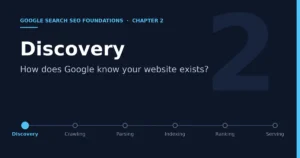
Chapter 2: Discovery — How Does Google Know Your Website Exists?

- 9 min read
- 0
In the previous chapter we drew the operation of Google Search as a chain, as follows.
Discovery → Crawling → Parsing/Understanding → Indexing → Ranking → Serving
From this chapter on, we no longer stay at the overview level. Instead, we break the chain down station by station, starting with the first station, which is Discovery. This chapter is written by cross-referencing Google’s official Search Central documentation rather than guessing from experience, and the official pages behind the key conclusions are listed at the end of the chapter so you can go back and verify them at any time.
1. What Problem Does Discovery Actually Solve?
According to Google’s official documentation “In-Depth Guide to How Google Search Works,” there is no central registry of all web pages on the internet, so Google must continually and proactively look for new and updated pages and add them to its list of known pages. The official name for this process is URL discovery. In other words, the problem discovery solves is very plain: does Google know that your URL exists? No matter how complete and professional a page is, if it has not been discovered, it will not enter any of the later stages of crawling, parsing, indexing, ranking, or serving.
A page that has not been discovered is, to Google, the same as nonexistent. This is the most easily overlooked, yet most basic, threshold in the entire SEO chain.
2. The Real Position of Discovery in Google’s Official Model
A clarification is needed here. Google’s official documentation summarizes the operation of Search into three stages: Crawling, Indexing, and Serving search results. As for discovery (URL discovery), the official documentation places it inside the crawling stage, as the first thing crawling does, rather than as a separate fourth stage in parallel. For ease of teaching, this book splits discovery out of crawling and treats it as its own section, because in actual operation this step is too easily ignored by website operators and deserves separate emphasis. But this is only a teaching split. When reading the official materials, readers should know that in the original documentation discovery belongs to the first half of the crawling stage.
3. The Main Ways Google Discovers a URL
The official documentation explicitly lists three main methods, and Search Console also provides a supplementary method of active submission, making four in total.
1. Old pages that have already been crawled. Google has already visited this page, it is already in Google’s list of known pages, and it counts as historically known.
2. New links extracted from known pages. For example, a category page links to a newly published blog post, and when Google recrawls that category page, it follows the link to find the new post. This is the example given in the official text, and it is also the most important way of discovery. So in practical SEO work, one very important point to note is that we should not create page islands; try to make sure every page has at least one link pointing to it.
3. Sitemaps actively submitted by the website. The site owner uses a Sitemap to tell Google about the existence of a batch of URLs, and Google adds these URLs to its list of candidates to crawl.
4. Manual submission through Search Console. The site owner uses the URL Inspection tool to send a “Request indexing” for a single URL, which is equivalent to proactively telling Google that there is a new or freshly updated page here that they hope will be processed as soon as possible.
4. Why Link Following Is the Core Mechanism of Discovery
Among these four methods, link following is the most basic and the one that happens most continuously. In “SEO Link Best Practices for Google,” Google gives a very specific technical requirement: Google’s crawler can only recognize links that are standard <a> tags with an href attribute. Links inserted dynamically through JavaScript can also be recognized, but only if what is finally rendered is still a standard <a> tag with an href attribute. If a link relies on an onclick event or some other script behavior to navigate, rather than being a real <a href> element, Google will probably be unable to parse it as a followable link.
This is also why internal link structure is especially important at the discovery stage. Google’s Gary Illyes has said publicly that, among the ways Google discovers and crawls URLs, following internal links ranks first and Sitemaps rank second. Although this statement is not a formal ruling written in the documentation, it fully matches a principle the official documentation stresses repeatedly, namely,
Whether a page can be discovered depends first on whether there is a link path within the website leading from a known page to it. Sitemaps are more of a supplement and an accelerator, not a replacement.
5. Should You Make a Sitemap? The Official Criteria
Google’s official documentation “Learn about sitemaps” gives relatively clear criteria. If your pages are well linked to one another, meaning every page you want indexed can be reached from the homepage through navigation or internal links, Google can usually discover most of the site’s pages on its own. However, the official documentation recommends using a Sitemap in the following situations:
1. The website is large. The larger it is, the harder it is to guarantee that every page is linked to from at least one other page on the site;
2. The website is new and has few external links. Google relies heavily on links in pages it has already crawled to discover new pages, so for a new site lacking external links, Google’s chances of discovering it on its own are low to begin with;
3. The website contains a lot of rich media such as images and videos, or will appear in Google News. A Sitemap can carry supplementary information specific to this content. Correspondingly, the official documentation also describes when a Sitemap is less necessary: the website is small (the official reference line is within 500 pages), its internal links are already fairly complete, and it does not have much image or video content that needs to be shown in search results.
6. Orphan Pages: Pages Forgotten by the Link Structure
Following the logic above, one type of page deserves special vigilance. The industry usually calls it an orphan page: the page itself can be accessed normally, but no link within the website points to it. If the page has also not been put into a Sitemap and no external website links to it, it is basically the same as nonexistent to Google. When explaining the role of Sitemaps, Google’s official documentation specifically mentions that if a website is new with few external links, Googlebot and other crawlers mainly discover new URLs through links in pages they have already crawled. Read in reverse, this also explains where the risk of orphan pages comes from: they get no entry point from internal links, and for the time being no entry point from external links either. For e-commerce websites this situation is not uncommon. For example, after a new product page goes live, it appears only on the homepage carousel for a few days. Once the carousel is taken down, if no category page, blog, or related product page continues to link to it, the page will likely vanish from Google’s view.
No matter how high the quality of a page’s content, once it becomes an orphan page, all earlier effort has already been reduced to zero at the discovery step.
7. How to Verify Whether a Page Has Actually Been Discovered
This step does not require guessing, because Search Console provides a direct verification tool. The official help documentation explains that in the URL Inspection tool, when you expand the page indexing details, you will see a Discovery field that describes how Google found this URL. Right after it you will see a Crawl field that shows whether the URL was successfully crawled and when. If the status shows that the URL is not on Google, you can usually see the specific reason here as well. For a website operating multiple categories and a large number of product pages, a more prudent practice is to sample new pages with the URL Inspection tool one to two weeks after they go live and check their discovery and crawl status, rather than waiting until traffic data looks abnormal before investigating.
8. The Correct Use of Manual Submission, and Its Limits
Google’s official documentation “Ask Google to Recrawl Your Website” explains the division of labor between two active submission methods. The URL Inspection tool suits the case of individual or a small number of URLs, such as a product page whose price and stock information have just been changed and that you want recrawled as soon as possible. For large batches of URLs, the official recommendation is to submit a Sitemap directly rather than requesting them one by one. The documentation also mentions several limitations to note. First, there is a submission quota for indexing requests. Second, requesting the same URL repeatedly does not make it get crawled faster. Third, requesting a crawl does not guarantee inclusion in the index, nor immediate inclusion. Google says its systems prioritize high-quality content that is useful to users.
In other words, manual submission can only speed up discovery and crawling. It cannot solve content quality problems, it cannot replace internal link structure, and it certainly will not directly improve rankings.
9. Applying the Discovery Stage to a Roborock Accessories Site: An Actionable Checklist
Returning to a concrete e-commerce scenario, take a website specializing in Roborock robot vacuum accessories. At the discovery stage it can do at least the following. First, any newly launched product page must have at least one entry link pointing to it at the time of publication. That can be the corresponding category page, or a related repair guide or blog post; never let a new page hang only on the homepage carousel or on social media promotion links. Second, maintain a continuously updated XML Sitemap and submit it through Search Console, especially once the site grows beyond a few hundred pages. Third, within one to two weeks after new products and important pages go live, spot-check their discovery and crawl status with the URL Inspection tool, so that orphan pages are found in time. Fourth, reserve the request indexing function for the small number of pages that are truly urgent, such as a product page after a price error has been corrected, rather than treating it as a routine publishing process. Fifth, regularly check whether old pages left over from duplicated content or restructuring have become orphan pages, especially after category restructuring and for product pages that were delisted and then relisted.
10. Chapter Summary, and the Problem for the Next Chapter
This chapter solved only the first problem on the chain, namely whether Google knows this URL exists.
Discovery → Crawling → Parsing/Understanding → Indexing → Ranking → Serving
Knowing that a URL exists and being able to access it smoothly are two completely different things. Among the two technical questions left at the end of Chapter 1, how to check robots.txt, whether Googlebot is blocked, how to check noindex, HTTP status codes, crawl budget, and so on are exactly what the next chapter, on crawling and Crawlability, will cover in detail.
RFQ
Q: Do breadcrumbs count as links? What role do they play in page discovery?
A: Yes, they do. Breadcrumbs are essentially a set of ordinary HTML internal links (<a href>), and Google follows them just as it follows other internal links. They give every product page automatic links pointing up to its parent category page and then to the homepage, for example “Home > Robot Vacuum Accessories > Filters > Roborock S7 Filter.” This anchors the product page in the site structure and also lets crawl paths and link equity flow back to category pages, reducing orphan pages.
But they only provide “upward” links. A crawler must first find the product page before it can see its breadcrumb, so breadcrumbs cannot be the sole entry point for a new page. New pages still need “downward” or “lateral” links, such as category listings, related articles, or related product recommendations, to ensure they are discovered. When implementing, render them with real <a href> elements, keep the paths consistent with the category structure and pointing to canonical URLs, and for products in multiple categories choose only one primary path. It is also recommended to add BreadcrumbList structured data (JSON-LD). It does not affect discovery, but it gives a chance for search results to display the hierarchical path.
References
This chapter was written mainly with reference to the following official Google pages. If you need to verify details, you can consult the originals directly.
· In-Depth Guide to How Google Search Works, developers.google.com/search/docs/fundamentals/how-search-works
· Learn about sitemaps, developers.google.com/search/docs/crawling-indexing/sitemaps/overview
· SEO Link Best Practices for Google, developers.google.com/search/docs/crawling-indexing/links-crawlable
· Ask Google to Recrawl Your Website, developers.google.com/search/docs/crawling-indexing/ask-google-to-recrawl
· URL Inspection tool, support.google.com/webmasters/answer/9012289