Chapter 7: Serving — How Google Shows Your Page: Title Links, Snippets & More

- 5 min read
- 0
The last station on the chain is the page that searchers actually see.
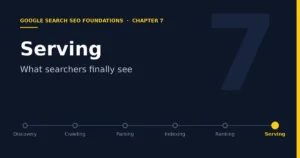
Discovery → Crawling → Parsing/Understanding → Indexing → Ranking → Serving
In the official three-stage model, this station is called serving search results, that is, when a user searches, Google returns information relevant to the query. Ranking determines the order; serving determines what the result in that position looks like and whether it is worth clicking.
1. The Same Page May Look Different to Different People
The official documentation explains that when a user enters a query, Google’s systems search the index for matching pages and return the results they judge to be of the highest quality and most relevant, and relevance is determined by hundreds of factors, which may include the user’s location, language, and device type. The official example is vivid: a search for bicycle repair shops gives different results in Paris than in Hong Kong. The search features that appear on the results page also vary with the query. A search for bicycle repair shops is more likely to show local results and no image results, while a search for modern bicycles is more likely to show image results and no local results. This means there is no single ranking that is the same for everyone, and when looking at ranking data you must include the context of region, language, and device.
2. Title Links: The First Impression in Search Results
The clickable title in a search result is called a title link in the official documentation. The official documentation explains that the title link is usually the main basis on which users decide which result to click, so every page should have a title element that is descriptive, accurate, and concise. At the same time, be aware that Google uses multiple sources to determine title links automatically. If it detects a problem with the page’s title element, it may use other content such as anchor text to generate a better title link, so the title seen in search results sometimes differs from the page’s title element or main heading. What site owners can do is influence the title link through a clear, unique, and accurate title, rather than expecting it to be displayed exactly as written.
3. Snippets Come from Page Content, Not Only from the Meta Description
The description below the title is called the snippet. The official documentation explains that snippets are generated automatically, mainly from the content on the page, and Google may use the meta description only when it describes the page more accurately than other content on the page. The official documentation also states clearly that you cannot manually change the snippet for an individual site. The snippet is designed to highlight the page content most relevant to the user’s specific search. This leads to a practical takeaway: if the body of the page has no paragraph that clearly answers the user’s question, even a carefully written meta description may not be adopted. The quality of a snippet ultimately depends on whether the body content itself is clear and direct.
4. Structured Data and Rich Results
Structured data is an important way to make a page eligible for richer display. The official general structured data guidelines explain that Google uses it to understand page content, but there are a few boundaries to remember. First, using structured data makes it possible for a feature to appear but does not guarantee that it will, even if the page passes the Rich Results Test. Second, the marked-up content must match what users can see on the page. For example, if a page has multiple reviews, you should not mark up only some of them, or it will be misleading. Third, if there are problems with the structured data, it may result in a manual action, with the consequence that the page loses eligibility to appear as a rich result, but the official documentation says this does not affect the page’s ranking in regular web search. For an accessories site, properly marking up product page information such as price, stock, reviews, and return policy as structured data is the compliant path to improving display eligibility, but it is eligibility, not a guarantee.
5. Indexed but Not Visible: Common Reasons
When discussing the serving stage, the official documentation specifically lists one common confusion: Search Console shows that a page is indexed, but it cannot be seen in search results. The possible reasons the official documentation gives include the page content being irrelevant to the user’s query, low content quality, and robots meta rules blocking display. This echoes the indexing issues in Chapter 5: being indexed only earns eligibility, and whether the page appears also depends on whether it matches a specific query and whether its quality is sufficient.
6. How to Measure Serving Performance
The most direct tool for measuring the serving stage is Search Console’s Performance report. It provides data such as a page’s impressions and clicks in search results, and it can be broken down by query, page, country, and device. Combined with the earlier chapters, a simple diagnostic order emerges: if impressions are low, go back and check indexing and ranking; if impressions are high but click-through rate is low, focus on checking how the title link and snippet perform; if clicks are decent but conversion is poor, go back to the page content and the product itself.
Low impressions → Check indexing and ranking High impressions, low clicks → Check title and snippet Many clicks, low conversion → Check page content and product
7. A Checklist for the Roborock Accessories Site
First, write a unique, accurate, and concise title for every product page, highlighting brand, model, and accessory type, and avoid having all pages use the same template. Second, make the first half of the body clearly answer what accessory this is, which models it fits, and what problem it solves; this content is more likely to be used as the snippet. Third, following the official product-related structured data guidelines, add information such as price, stock, reviews, and return policy to product pages, and verify it with the Rich Results Test tool. Fourth, use the Performance report to observe results broken down by country and device, so that performance in different markets is not mixed together when judging. Fifth, for AI-related search features that the official documentation explicitly covers, rely on the latest official pages and do not base technical judgments on secondhand summaries.
8. Review of the Full Chain in the Book
At this point, the whole chain of Google Search has been walked through completely. Each station solves a different problem and also corresponds to a different entry point for troubleshooting.
Discovery: Does Google know this URL → Crawling: Can it retrieve the page smoothly → Parsing/Understanding: Can it understand the page content → Indexing: Is it willing to take the page in → Ranking: Where does it stand among all candidates → Serving: Is what searchers see worth clicking
Every SEO action can find its place on this chain, and this is the big-picture view that this entire SEO foundations course wants you to build.
References
· In-Depth Guide to How Google Search Works, developers.google.com/search/docs/fundamentals/how-search-works
· Influencing Title Links in Google Search, developers.google.com/search/docs/appearance/title-link
· How to Write Meta Descriptions and Snippets, developers.google.com/search/docs/appearance/snippet
· General Structured Data Guidelines, developers.google.com/search/docs/appearance/structured-data/sd-policies
· Ecommerce SEO documentation, developers.google.com/search/docs/specialty/ecommerce