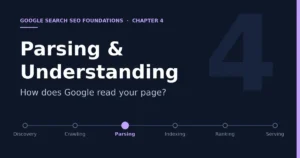
Chapter 4: Parsing / Rendering — How Does Google Read Your Page?

- 5 min read
- 0
Once a page has been crawled, all that has been obtained is a raw response. The next problem to solve is what it actually is.
Discovery → Crawling → Parsing/Understanding → Indexing → Ranking → Serving
It should first be noted that this station has no separate name in Google’s official documentation. It is spread across the rendering part of the crawling stage and the content analysis part of the indexing stage, and this book gives it its own chapter for the sake of clarity. The core of this chapter is turning the page that human eyes see into an information structure from which a machine can extract content, links, and meaning.
1. How Google Processes a Page: The Official Flow
Google’s official JavaScript SEO basics documentation summarizes web page processing into three main stages: crawling, rendering, and indexing. The process roughly goes as follows. Googlebot takes a URL from the crawl queue and first checks whether robots.txt allows it. Once allowed, it sends an HTTP request and then parses the href attributes of the HTML links in the response, adding newly discovered URLs to the crawl queue. Next, all pages returning a 200 status code go into the render queue, unless a robots meta tag or response header on the page tells Google not to index it. A page may wait in the queue for a few seconds or much longer. When Google’s resources allow, a headless Chromium renders the page and executes its JavaScript. Googlebot then parses the links in the rendered HTML again and queues newly discovered URLs for crawling, and it also uses the rendered HTML for indexing.
Take URL → Check robots.txt → Request and parse HTML → Enter render queue → Headless Chromium renders → Parse rendered HTML → Used for indexing
Two details in this flow matter to site owners. First, if the page or the script files it references are blocked by robots.txt, Google Search will not render the blocked content. Second, injecting links into a page with JavaScript is fine, as long as those links follow the requirements for crawlable links. So rendering is not a universal patch: blocked scripts and content that appears only after a user click can still be lost at this step.
2. Why Server-Side HTML Output Is Safer
The official documentation notes that for traditional websites or server-side rendered pages, the HTML in the HTTP response already contains all the content, and parsing after crawling works very well. Some JavaScript sites use an app shell model, where the initial HTML contains no real content and Google must execute JavaScript before it can see the page content. This adds a layer of dependency and also adds time waiting in the render queue. The official documentation also positions dynamic rendering in its table of contents as a workaround rather than a long-term recommendation. For an accessories site, the practical implication is that key information such as the title, product name, compatible models, price, and stock status should ideally already exist in the raw HTML returned by the server, rather than relying entirely on front-end scripts to generate it in the browser.
3. What Exactly Does Google Read from a Page?
In explaining the indexing stage, the official documentation says that Google processes and analyzes the text content of the page as well as key content tags and attributes, such as the title element, image alt attributes, images, and videos. In judging page content, Google also identifies the main content of each page, which the official documentation calls the centerpiece content, and uses it to determine whether different pages are similar. On links, the official link best practices explain that anchor text, that is, the visible text of a link, tells users and Google roughly what the linked page is about, and only standard a tags with an href can be parsed reliably. On structured data, the official documentation says Google uses it to understand page content, and providing it properly may also make a page eligible for richer search appearances.
HTML text → Title and heading tags → Image alt → Links and anchor text → Structured data → Metadata → Main page content
This chain corresponds to the mindset from Chapter 1 that a page’s opening should get straight to the point. Lowering the cost for search engines to understand a page’s topic, at the execution level, means making this information clear, consistent, and placed early on the page.
4. What Mobile-First Indexing Means
We mentioned earlier that most of Googlebot’s crawl requests come from the smartphone crawler. Behind this is mobile-first indexing, which means that for most websites, Google mainly uses the mobile version of a page’s content for indexing. In its crawl budget documentation, the official documentation also specifically updated one recommendation: if a website has a separate mobile version, the mobile version should contain all the links of the desktop version, or at least make sure those links appear in the Sitemap, otherwise discovery of new pages may become slower. For responsive websites this is usually not a problem, but watch out for cases where the mobile view hides or trims navigation, internal links, or product specifications for the sake of appearance.
5. How to Verify What Google Actually Sees
The most direct method is Search Console’s URL Inspection tool. It lets you view the page Google crawled, including the returned HTML and the HTTP request and response information. Comparing it with the page you see in a browser will reveal problems such as content missing after rendering, blocked scripts, and key content not appearing in the HTML. The official documentation also provides the Rich Results Test tool to check whether structured data is recognized correctly.
6. A Checklist for the Roborock Accessories Site
First, view the raw HTML of product pages and confirm that core information such as the product name, model compatibility notes, price, and stock already exists in the initial HTML. Second, confirm that all product images have accurately descriptive alt text and that links are standard a tags with href. Third, confirm that robots.txt does not block the scripts and styles required for rendering. Fourth, spot-check key product pages with the URL Inspection tool and compare whether the page Google sees matches the page users see. Fifth, check whether the mobile version keeps the same navigation and internal links as the desktop version.
7. Chapter Summary
Being crawled does not mean being understood. Only after a page’s content has been parsed and understood does Google decide whether to put it into the index, and that is the next station.
Discovery → Crawling → Parsing/Understanding → Indexing → Ranking → Serving
References
· Understand JavaScript SEO Basics, developers.google.com/search/docs/crawling-indexing/javascript/javascript-seo-basics
· In-Depth Guide to How Google Search Works, developers.google.com/search/docs/fundamentals/how-search-works
· SEO Link Best Practices for Google, developers.google.com/search/docs/crawling-indexing/links-crawlable
· What Is URL Canonicalization, developers.google.com/search/docs/crawling-indexing/canonicalization
· Crawl Budget Management, developers.google.com/crawling/docs/crawl-budget
· General Structured Data Guidelines, developers.google.com/search/docs/appearance/structured-data/sd-policies